Live Weather & Weather Radar
- 4.3
- Rating
- 100.00K
- Installs
- Free
- Price
 Analysis by App-foxy
I spent time using Local Weather & Weather Widget as a day-to-day weather companion, and my first impression is that it aims for a practical balance: quick local forecasts, a radar view when conditions become uncertain, and alerts for more serious weather. That combination makes sense for people who want more than a single temperature number but do not want to manage a complicated meteorology dashboard.
The app is free to install, which makes it easy to try before deciding whether it fits your routine. It is published by Watermark Remover & Slow motion & SlowMo, an unusual developer name for a weather product, so I approached it with a little caution rather than assuming it would match the polish of a long-established weather service. After using it, I see a straightforward tool with useful ambitions, but also a few reasons why experienced weather watchers may still prefer a more mature alternative.
How Local Weather feels in everyday use
The strongest part of the experience is its focus on local conditions. When I open a weather app, I usually want an answer to a simple question: can I leave now, and what should I expect over the next few hours? A local forecast is more useful for that decision than a broad regional outlook, especially when rain or storms are moving unevenly across nearby neighborhoods.
You May Also Like

 Blood Strike: 2.5 Anniversary
Blood Strike’s Loadouts Turn Every Drop Into a Tactical Gamble
A close look at Blood Strike’s custom loadouts: how fast access to signature weapons reshapes its battle royale rhythm, rewards preparation, and narrows the gap between fights.

 Pandora - Music & Podcasts
Pandora’s Music Is Easy to Start, but Harder to Recover
Pandora’s strength is its low-effort path from a seed to a station. Its weak spot is how much confidence it asks you to place in connection, setup, and quiet recovery.

 8 Ball Pool
 Is Built on Rivalries, Rematches, and Routine
A close look at the rivalries, rematches, shared routines, and unanswered safety questions that turn a quick pool match into a persistent mobile community.

 Samsung Music
’s Quiet Strength Is Playing What You Already Own
Its reach comes less from spectacle than from dependable access to a personal library. That simplicity is both the app’s strongest retention engine and its ceiling.

 AccuWeather: Weather Radar
AccuWeather Review: A Quick, Clear Forecast for Everyday Decisions
For everyday plans, the best forecast is the one you can understand quickly. AccuWeather makes rain timing, radar, and local conditions easy to act on, with a few trade-offs.

 Hill Climb Racing
Why Hill Climb Racing Still Turns Crashes Into One More Run
A tiny car, a bumpy hill and one more upgrade: Hill Climb Racing keeps resurfacing because its simple chaos makes every near-miss feel personal.
More From Our News Desk
View All News


The live radar is the feature I would return to most often. Forecast icons can tell me that rain is possible, but radar helps me judge whether precipitation is already approaching, passing over my area, or breaking apart nearby. That distinction matters when deciding whether to walk, cycle, take a child to the park, or wait before starting an outdoor job.
The app also presents real-time and severe-weather alerts as part of its core purpose. I appreciate that emphasis because alerts serve a different need from ordinary forecasting. A normal forecast helps with planning; a severe alert can change what I do immediately. I would still treat any alert as a prompt to check the details and local official guidance rather than as a substitute for it.
Its store rating sits at 4.1 from 152 ratings, while the app has passed 10K installs. Those figures suggest that it has found an early audience, but they also place it in the category of a relatively small, still-developing weather app rather than a universally established service. I would interpret that as a reason to test it in the places and weather conditions that matter most to me.
A realistic morning routine
My most useful routine with an app like this would be a quick check before leaving home. I would look at the local forecast first, then open radar if the sky looked different from the prediction. If rain appeared close by, I could delay a short errand or choose a different route. For a longer trip, I would check again shortly before leaving instead of relying on a forecast viewed hours earlier.
That workflow is more reliable than looking only at the temperature. A mild day can still be unpleasant because of a passing shower, while a cool-looking forecast may be perfectly manageable with the right clothing. The app’s value comes from combining the broad outlook with the visual context of radar and the urgency of alerts.
For commuters, the radar can be especially helpful at transition points. A forecast may show rain during the morning, but the map can help answer whether the wet period is likely to affect the departure window or the return trip. I would not treat the display as a precise promise about one street, yet it can improve a decision that would otherwise be based on guesswork.
Where the widget fits
The name also points to a weather widget, which is useful for people who prefer information at a glance. A widget can reduce the number of times I need to open the full app, particularly when I only want the current local condition or a quick forecast check. That is a different kind of convenience from radar: the widget supports routine awareness, while the full application is more valuable when weather is changing.
I would place the widget where it is visible during my normal morning routine rather than treating it as a decorative home-screen element. The practical benefit is greatest when it helps me notice changing conditions before I leave. At the same time, a widget should not become the only source I consult during severe weather, because a compact summary cannot replace the context of an alert or radar view.
One useful habit is to use the widget for ordinary planning and reserve the full app for uncertainty. If the sky is clear and the day is predictable, the glanceable view may be enough. If clouds are building, rain is nearby, or an alert appears, I would open the app and examine the situation more carefully.
What the current release tells me
The current version is 1.5.2, and the app was released on November 23, 2025. That places it in a relatively early stage of its product life. I see that as important context: the basic direction is already visible, but the experience may still evolve as more people use it across different locations and weather patterns.
The release facts do not by themselves prove how much the app has changed internally, so I would not assume that each version number represents a major redesign. What I can judge is the present emphasis: local weather information, radar, and alerts are treated as the main reasons to install it. The product feels aimed at quick decisions rather than at users who want a deep archive of climate data or highly technical atmospheric analysis.
That focus is sensible for a phone app. Most people do not need a wall of numbers when they are deciding what to wear or whether to carry an umbrella. The challenge is making the simple view trustworthy and timely enough that users know when they should investigate further. A weather app earns its place through consistency, not through the number of panels it displays.
Existing users moving to version 1.5.2 should expect the same general product identity rather than a completely different category of tool. The central workflow remains easy to understand: check the local outlook, use radar when timing matters, and pay attention to serious alerts. If someone was hoping for a full replacement for a specialist storm-monitoring service, this release does not appear positioned that way.
How it compares with familiar alternatives
Compared with the default weather app on a phone, Local Weather & Weather Widget may appeal to users who specifically want radar and a stronger alert-oriented focus in one place. Built-in weather tools are often convenient because they are already available, but convenience does not always mean the clearest radar workflow. Here, the combination is the main reason to consider a separate installation.
Compared with a dedicated radar application, however, this app is likely to feel more approachable and less specialized. A radar-first service may offer more depth for storm tracking, layered map information, or users who regularly monitor severe systems. I would choose that kind of alternative if weather monitoring were part of my work, travel planning, or safety routine.
Compared with a large general-purpose weather service, the trade-off is familiarity versus simplicity. A major service may have a longer history, broader coverage, more extensive forecasts, and a larger support ecosystem. Local Weather & Weather Widget can still be attractive if I want a focused interface and do not need a large collection of extras.
The developer identity also affects my expectations. Watermark Remover & Slow motion & SlowMo does not sound like a company dedicated exclusively to weather, so I would pay close attention to how consistently the app handles updates, alerts, and location-specific accuracy over time. That is not a criticism of the current feature set; it is simply a sensible factor when choosing a weather tool that may be used for important decisions.
Practical trade-offs before installing
The app is free, but it includes in-app purchases ranging from $9.99 to $39.99 per item. That means I would install it without hesitation for an initial trial, but I would not assume that every useful part of the long-term experience is included at no cost. Before paying, I would use the free version through several ordinary weather changes and decide whether the information is timely and clear enough for my location.
The age rating is Everyone, which makes the app suitable in terms of content for a broad audience. That does not mean every user will find it equally appropriate. A child may understand a simple forecast, but adults should still explain that severe alerts require responsible action and that an app should not be the only source during dangerous conditions.
The minimum operating-system requirement is Android 8.1. For users with an older device, compatibility should be checked before planning around it. On a supported phone, I would also consider how the widget fits into the home screen and whether the app remains convenient when I am in a hurry. Weather tools are most useful when they reduce friction rather than create another task.
Three ways to get more value from it
First, I would compare the radar with what I can see outside instead of treating one view as infallible. This creates a useful personal check: if the radar suggests nearby rain but the local sky remains clear, I can watch how quickly conditions change and learn how much confidence to place in short-term movement for my area. That is more informative than judging the app from one isolated forecast.
Second, I would check the app at two different moments before an outdoor plan: once during preparation and again just before leaving. This is particularly useful for short-lived showers. A forecast several hours old may be reasonable in general but less helpful for a narrow departure window. Radar becomes more valuable when the decision is immediate.
Third, I would treat alerts as a trigger for verification, not as background noise. If an alert arrives while I am indoors, I would open the app, inspect the local conditions, and then consult official local instructions if the situation appears serious. This approach avoids both extremes: ignoring an important warning and reacting to every notification without context.
A fourth useful habit is to keep the widget for routine checks but avoid cluttering the home screen with several weather summaries. If I already glance at it repeatedly, adding multiple overlapping weather tools can make the information harder to interpret. The best setup is the one that lets me notice a change quickly and reach the detailed view when needed.
Where the experience still feels limited
The biggest limitation is that a compact weather app must simplify complex conditions. A radar image is powerful, but it does not automatically explain how rain will feel at street level, whether wind will make a route uncomfortable, or how local terrain will affect conditions. I would not use this app alone for a long hike, a flight-related decision, or any situation where detailed specialist information is essential.
There is also a natural difference between a current weather view and a dependable long-range plan. If I am organizing an event several days away, I would use this app as one input and revisit the forecast as the date approaches. Weather uncertainty grows with time, and a clean interface should not encourage false confidence.
The early install base means I would be patient about polish and consistency while evaluating it. A weather app can look excellent on a calm day and reveal its real strengths only when conditions change quickly. I would test radar and alerts during ordinary unsettled weather before deciding whether it deserves a permanent place on my phone.
Users who want extensive customization may also prefer a more established alternative. Someone who needs many map layers, detailed historical views, specialized warnings, or a large set of configurable forecast panels should look for a service built around those needs. This app makes more sense for someone who values a direct local snapshot with radar and alert support.
What I would watch as the app develops
Because version 1.5.2 belongs to a young product, I would watch how future releases improve the parts that matter most in real use: forecast clarity, radar usefulness, alert timing, widget reliability, and the balance between free access and paid purchases. Those areas will determine whether the app becomes a dependable daily tool or remains a convenient secondary option.
I would also look for evidence that the experience becomes more refined without losing its simple purpose. More features are not automatically better. A good update would help me understand changing weather faster, reduce unnecessary taps, and make important alerts easier to distinguish from ordinary information.
For existing users, the sensible approach is to keep using the app in the situations where it already helps while maintaining a backup source for serious weather. For new users, the free entry point makes a trial straightforward. I would test the widget during normal mornings, use radar during a few unsettled days, and observe whether alerts arrive in a way that supports rather than interrupts my routine.
My overall view is positive but measured. Local Weather & Weather Widget is best for people who want a focused local forecast, a practical radar view, and severe-weather awareness without committing immediately to a paid service. It is less suitable for professional-level weather monitoring or anyone who expects the depth and proven maturity of a major weather platform.
I would recommend giving it a fair trial if your main questions are “Will rain reach me soon?” and “Should I pay attention to changing conditions today?” The free installation lowers the risk, while the current release shows a clear and useful direction. Just keep your expectations realistic, especially around advanced analysis and paid features, and use official guidance whenever an alert involves genuine safety concerns.
FAQs for Live Weather & Weather Radar
01What features does the Local Weather & Weather Widget app offer?
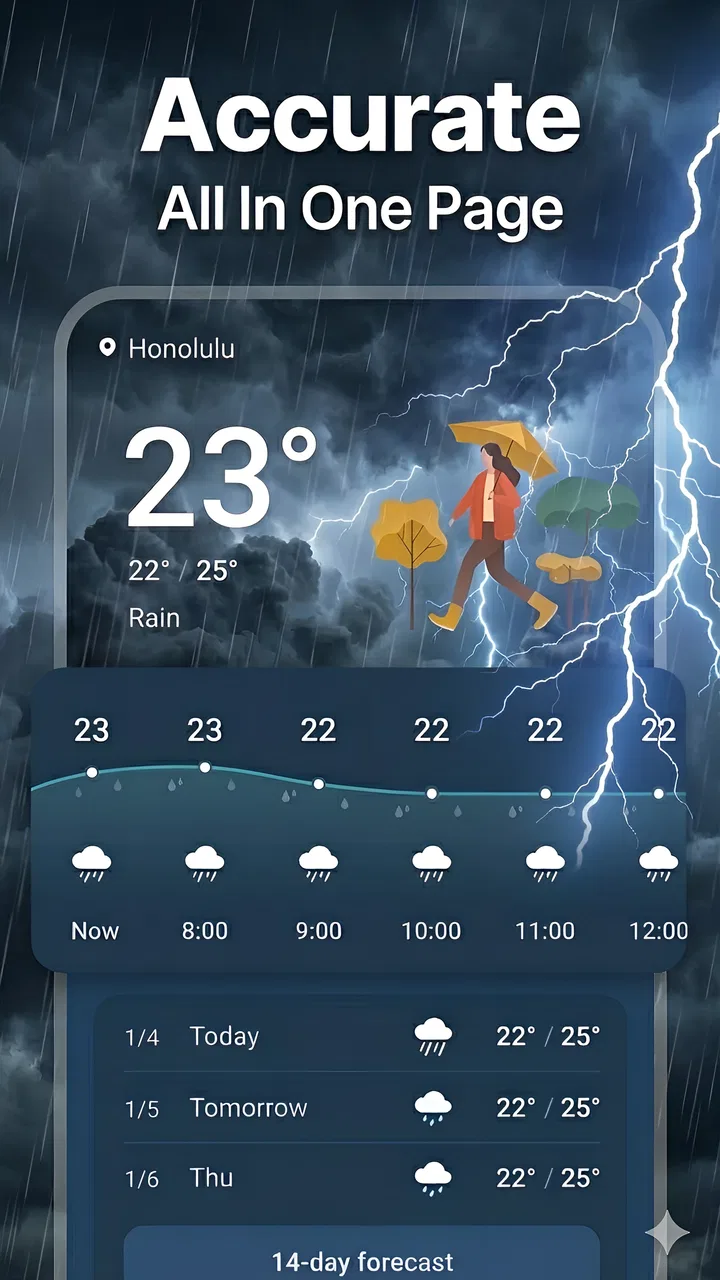
The Local Weather & Weather Widget app provides real-time weather updates, hourly and weekly forecasts, radar maps, and severe weather alerts. It also includes customizable widgets for your home screen, allowing you to view current conditions and forecasts at a glance. These features ensure you’re always prepared for any weather changes.
02Is the Local Weather & Weather Widget app free to use?
The app is free to download and use, offering basic features without any cost. However, it may offer in-app purchases or subscriptions to access premium features like ad-free usage, exclusive widgets, or more detailed forecasts. Check the app store listing for specific pricing details.
03How accurate is the weather information provided by the app?
The Local Weather & Weather Widget app sources its data from reliable meteorological services, ensuring high accuracy in its weather predictions. While no forecast can be 100% accurate, the app updates regularly to provide the most up-to-date information, helping users plan their activities effectively.
04Can I customize the widgets in the Local Weather & Weather Widget app?
Yes, the app offers customizable widgets that allow you to select various display options such as temperature units, location, themes, and widget sizes. This customization helps users personalize their home screen to suit their preferences and needs, ensuring a more user-friendly experience.
05Does the Local Weather & Weather Widget app require an internet connection?
Yes, the app requires an internet connection to fetch the latest weather data and provide accurate forecasts. Some features, like radar maps and severe weather alerts, are also dependent on real-time data updates. Ensure a stable internet connection for optimal app performance.
Pros
- Customizable widgets for quick access
- Accurate real-time weather updates
- Supports multiple locations
- User-friendly interface design
- Detailed hourly and weekly forecasts
Cons
- Limited free features available
- Ads can be intrusive at times
- No offline mode for data
- Battery consumption could be high
- Some features require premium

Live Weather & Weather Radar
Gallery